 Mango Labs
Google Play put your listing in rival stores by default
On July 22 our US Play listings started flowing to third-party Android stores. Nobody opted in — here's what actually changed, and what we decided.
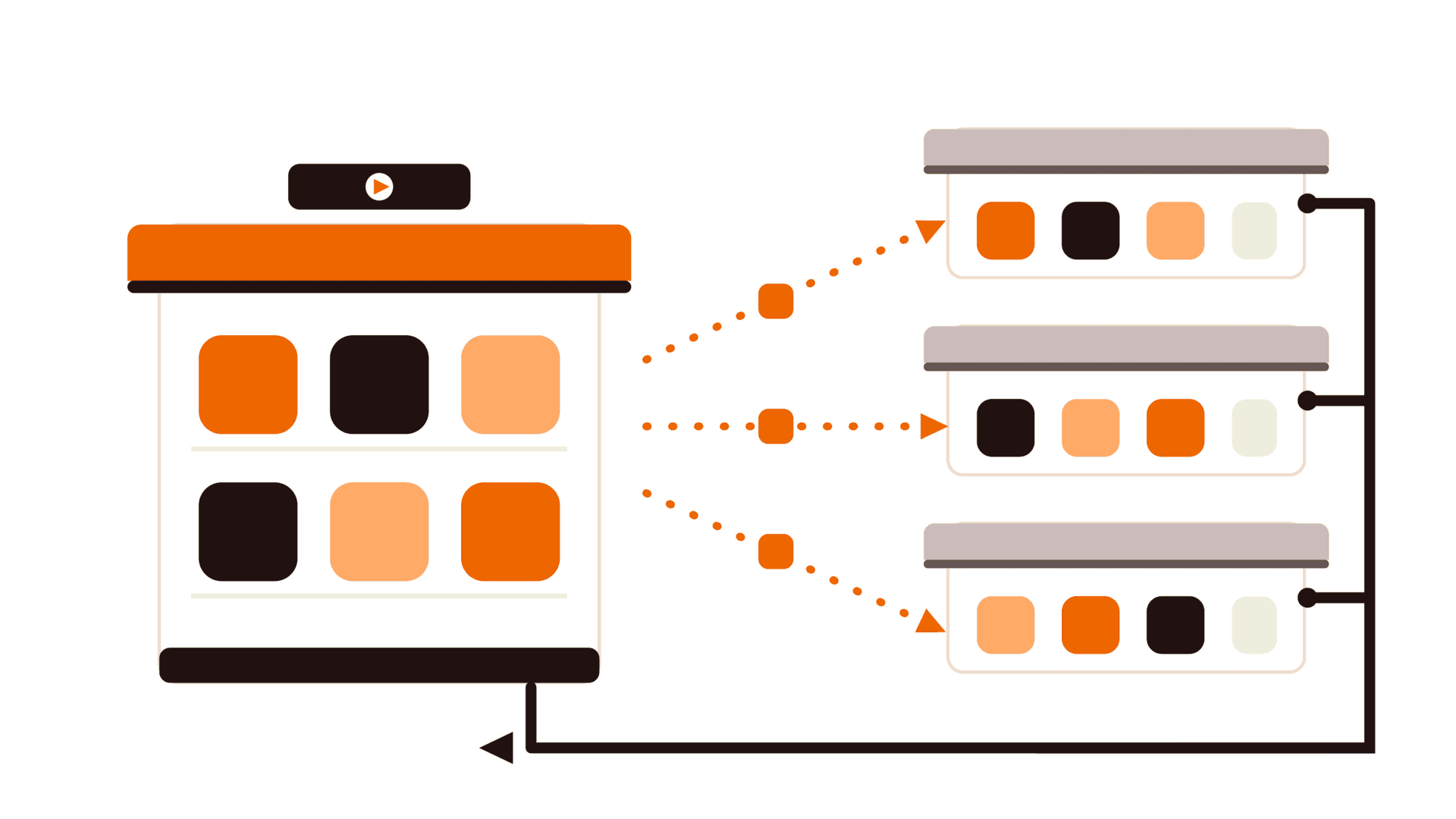
On July 22 our US Google Play listings became available to third-party Android app stores. We didn't sign up for that. Nobody did — the heads-up went out about a month earlier, and if you didn't act on it, you were in by default.
It comes out of the US court order in Epic v. Google. Google's own help page spells out what travels: your app's name, icon, description, screenshots and videos, handed to enrolled third-party US stores so they can list it alongside their own catalog.
Google still owns the install
The part that surprised me is how little of the stack actually moves. A rival store can display your listing, but it can't deliver your app — the download still completes through Google Play, "on the same terms as any other download that is made directly through the Google Play store."
So the competition is over shelf space, not the warehouse. For a small studio that shakes out as:
- No new cut. Google's service fee is the one you already pay, billed the same way it always was.
- No new build. No separate APK, no second signing key, nothing added to the release pipeline.
- Free reach. More surfaces your app can appear on, for zero engineering work.
The catch is context, not code
One line from Google is worth reading twice: third-party stores "are not governed by Google Play's content and other policies, and may have their own content and other policies." You get the extra shelf, but no say in what sits next to you on it.
That's a brand call, not a technical one — and it isn't a simple toggle. Play Console offers three settings: publish to every enrolled store, opt out of all of them, or manage stores one by one. For Xchanger and Sunrouter we're staying in. A currency converter and a route planner aren't the sort of thing that gets hurt by odd neighbours, and free distribution at no extra cost is hard to argue with. If we shipped something age-rated or enterprise-only, I'd be reaching for that per-store option instead.
Whichever way you lean, go and look — Settings → Catalog Settings in the Play Console. The choice was made for you on the 22nd, and you can change it at any time.